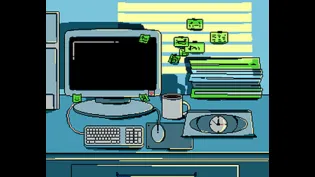
No More Overtime! was made in Unity in 3 days by a team of 4 for GMTK Game Jam 2026, under the theme “Count Down” - with over 10,500 entries, this was the largest game jam in itch.io’s history to date.
Concept
No More Overtime! is a 2D platformer built around a single countdown: your own shield. Throw and parry with it, but it’s rigged to detonate on a timer no matter if you’re still holding it, so every fight runs on two clocks at once, one ticking down on your shield and one ticking down on your shift. Parry an attack before it blows to reset the fuse and turn the explosion into a weapon instead of a hazard by throwing it at the enemies.
Input Reader

Not knowing exactly which keys would be needed, or how many inputs the player would eventually have, meant hardcoding input handling into each gameplay script was never a safe bet. Instead, PlayerInputReader exists as a single point of contact with Unity’s Input System, with one job: read the raw input actions and expose them as simple properties and events. Every other player script subscribes to those instead of touching an input action directly, so a future change from keyboard to controller, or a full rebind of the keys themselves, would only mean swapping the action references in a single component in the Inspector. None of the logic downstream would need to change, since it was never coupled to which key or button triggered it in the first place.
Player Jump
In this game I wanted to go for a metroidvania-like approach to the movement: the jump itself is more than a single upward force. PlayerJumpController counts how many fixed-update steps the jump has lasted and swaps gravity scale based on that count: a short hold rises at normal gravity, holding past a first threshold drops into a floatier gravity scale for a taller arc, and letting go early or holding past a second threshold both push it into a heavier “falling” gravity scale. Adding to that, a short coyote-time window keeps the jump input valid for a few frames after walking off a ledge. It’s not a complex system, but it’s exactly the kind of detail that separates player movement that feels responsive from movement that feels like a single fixed jump height.
Combat System

Every hit in the game - a manager’s melee swing, a ranged attack, contact damage, and the shield’s own explosion - resolves through the same interface: IDamageable. Anything that can be hurt implements it and exposes an OnDamaged event, so sound effects, health UI, and hit-reaction visuals can all hook into it without the damage logic itself depending on them.
The attacks are delivered through a shared AttackHitbox component, which holds the damage value, whether the hit can be parried, and a small ColliderIgnoreList so nothing damages its own owner. Rather than each attack type handling its own hit detection, MeleeAttackBehaviour, Projectile, and GroundMovingHazard each simply hold a reference to their own AttackHitbox and let it do the actual work, one component, several sources, with no duplicated trigger logic between them.
There’s one exception to that clean rule: hitting the player specifically. Before an AttackHitbox can just call TakeDamage on an IDamageable like it does for everything else, it first needs to check whether the player is mid-parry, since a successful parry should register with the shield’s explosion timer instead of dealing damage. That check has no place in the IDamageable interface, so the hitbox reaches directly for the player’s PlayerParrySystem and ShieldCountdownExplosionManager components instead of going through an interface at all. It’s a small, understandable shortcut, born from jam time pressure, but it does mean the player is the one target in the game that combat code has to know something extra about.
Shield System

The shield’s behaviour splits into two independent behaviours: its current state and when it should explode. ShieldManager owns the first part. It tracks whether the shield is held, thrown, or recalling, and moves it accordingly, snapping it back to the player’s hand when held, flying off in the throw direction once thrown, and recalculating a return vector toward the player every physics step while recalling, so it homes in back even if the player has moved. A separate ThrownShieldTriggerManager watches for what the thrown shield actually hits, catching it when it gets close enough to the player during a recall, or bouncing its direction on a ricochet if it collides with something else first.
On the other hand, ShieldCountdownExplosionManager owns the second part, completely separate from the first. It counts down on its own timer regardless of whether the shield is currently held or in flight, and when it hits zero, it deals area damage centered wherever the shield happens to be at that exact moment: on the player’s hand if it’s held, or mid-air if it’s been thrown and hasn’t been caught yet. Neither system needs to know about the other’s internals: ShieldManager never has to worry about explosion timing, and the explosion manager never has to worry about how the shield got to where it is, it just reads the shield’s current position.
The two systems only meet at one point: the parry. As covered in the Combat System section, a successful parry doesn’t go through IDamageable, it calls directly into ShieldCountdownExplosionManager, which resets the countdown and doubles the damage on the next explosion. That’s the game’s whole risk/reward loop in one call: every parry buys more time, but it also arms a more dangerous explosion.
Attack Behaviours


Ranged attacks are built around a small interface, IProjectileLauncher, with a single method: Fire. ArcLaunchProjectileBehaviour and ForwardLaunchProjectileBehaviour both implement it differently, one calculates a launch velocity that lands on a target after a fixed flight time, the other just fires in a straight line at a fixed speed, so the enemy holding the interface doesn’t care about the logic involved, we just drag in whichever behaviour we want.
For the melee side of things I went for an animation-driven system. MeleeAttackBehaviour handles its own windup, active, and recovery timing internally, and communicates state changes purely through events rather than exposing its state. Not only do visual scripts listen for those events to show/hide sprites during the attack, going the other direction, AttackAnimationEventRelay sits on the animated object and exposes two methods that Unity’s Animation Event system calls directly from specific frames on the clip, turning those calls into EnableHitbox and DisableHitbox calls on MeleeAttackBehaviour. So the hitbox timing itself is driven by the actual animation rather than a fixed timer, and MeleeAttackBehaviour never needs to know that’s where those calls are coming from.
Key Implementation Concepts
- Using a shared IDamageable interface so every damage source resolves the same way
- Using the Strategy pattern for interchangeable projectile launch behaviour
- Driving hitbox timing from animation events instead of fixed timers
- Centralizing input through a single PlayerInputReader, decoupling gameplay scripts from Unity’s Input System
- Building player jump feel through step-counted gravity scaling and coyote time